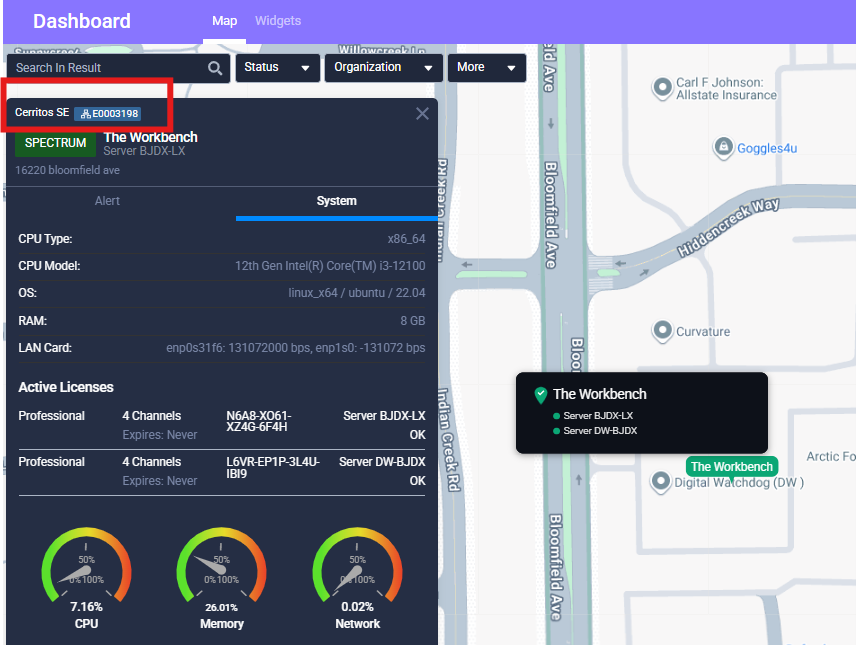

Administrators can now automatically back up COVA recorder configuration files to myDW. The system performs a daily configuration backup, available for download from the Inventory Report screen, allowing administrators to quickly restore system settings in the event of hardware replacement or system recovery.

A new Co-Term Calculator has been added to the Subscription page to provide visibility into how co-term subscription expiration dates are calculated.
The calculator displays the logic behind the organization’s co-term expiration date based on:
• Registered channel counts
• License expiration dates
• Adding or reducing channels
• Purchasing a new subscription
This feature helps administrators better understand subscription alignment and simplifies licensing discussions during system expansion or renewal planning.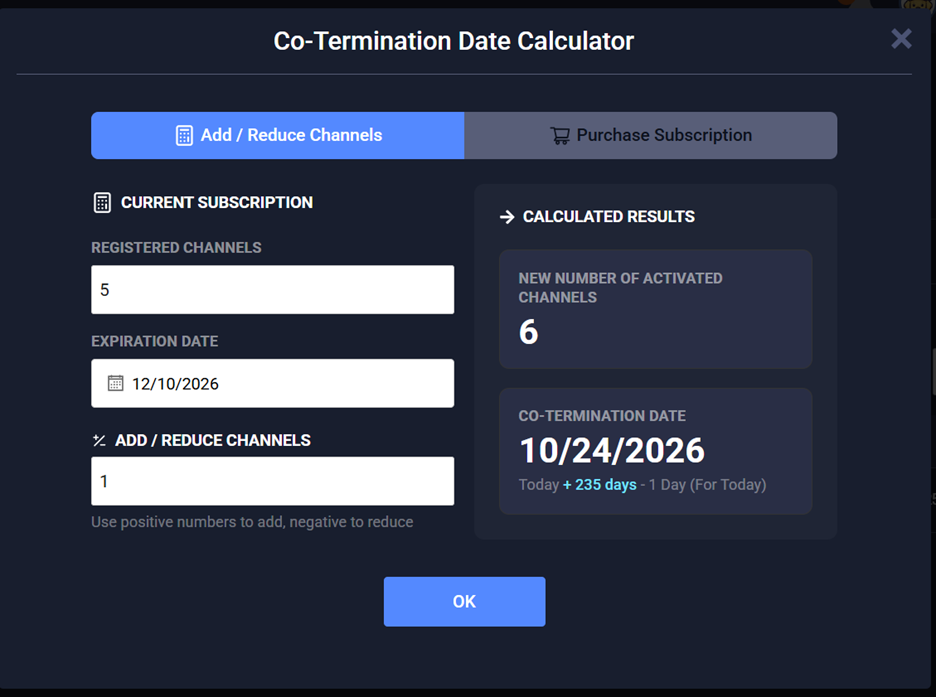

Administrators can now more easily identify and manage systems with new date-based sorting capabilities.
• Created Date for Organization lists (Channel Partner view)
• Registered Date for Recorder lists (End User view)
These columns allow users to sort organizations and recorders chronologically, making it easier to locate recently added systems and manage large deployments.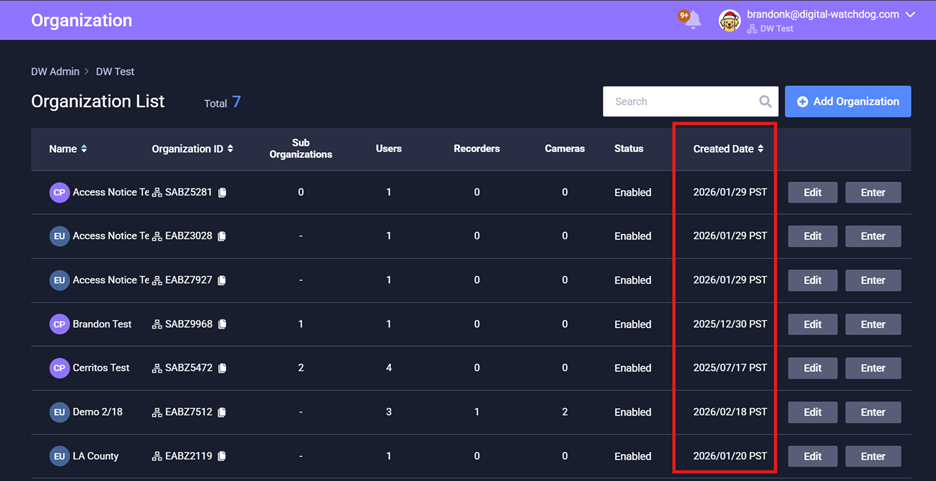

Digital Watchdog Channel Partners can now join the myDW Partner Network through a streamlined sign-up process directly from the myDW login page.
If the email address is not found in the partner database, the system guides the user through submitting their information for manual review by the Digital Watchdog Inside Sales team. This update simplifies onboarding and accelerates access to myDW for new partners.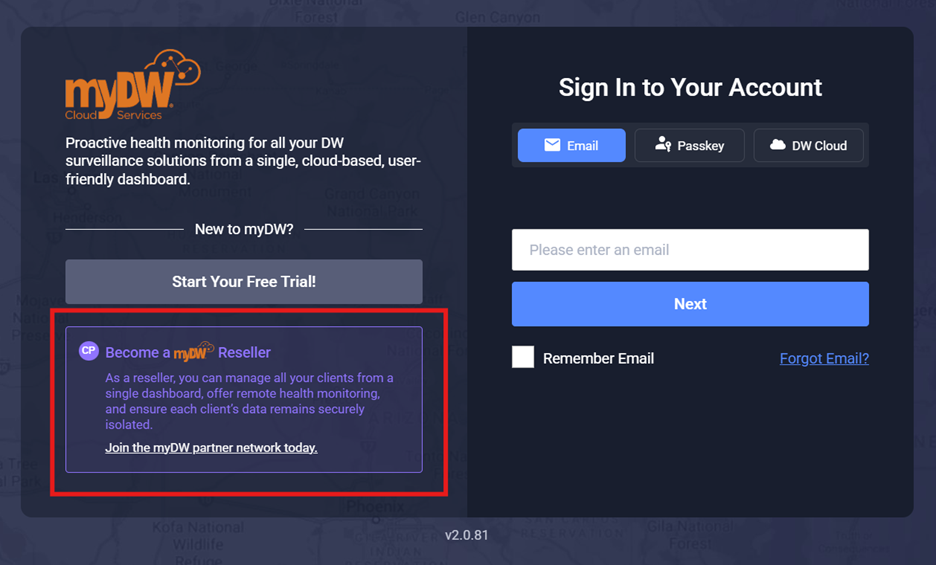

Recorder trees within Alert History and Health Reports now use a unified tree structure for merged DW Spectrum systems.
Improvements include:
• Consistent “recorder” labeling
• Improved indentation and organization
• Alignment with the recorder structure used in the main Recorder List
This creates a more consistent navigation experience when reviewing alerts or system health reports.

The DWAIN support chatbot now receives account-level context information from myDW, enabling it to tailor responses to the user’s account level.
The chatbot can now differentiate between:
• Channel Partner (CP) accounts
• End User (EU) accounts
This improvement allows DWAIN to provide more relevant guidance and troubleshooting recommendations based on the user’s role within the myDW ecosystem.

User permission roles for DW Spectrum 6.1 have been updated to align with the latest terminology and permission behavior introduced in the platform.
Key changes include:
• Updated role naming conventions
• Simplified permission structures
• Removal of custom role creation for Spectrum systems
Existing custom permission roles are automatically migrated to the Advanced Viewer role where applicable.
These updates ensure consistent permission management between myDW and the latest DW Spectrum releases.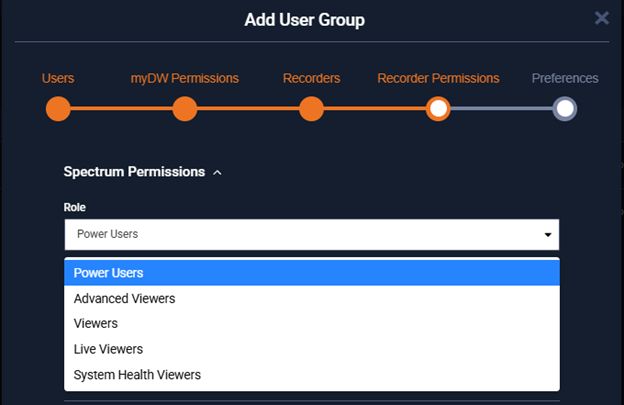

Channel Partners now receive improved visibility into end-user systems when viewing alerts.
When reviewing alerts in the CP Dashboard, the system now displays the associated:
• End User Organization ID
• End User Organization Name
This contextual breadcrumb information helps Channel Partners quickly identify which customer organization is associated with a recorder alert.